A Developer's AI Workflow: From Voice Dictation to Automated Reviews
The AI toolkit and workflow behind building three repositories, 347 commits, and a full-stack portfolio in under a month of part-time work — Claude Code, voice dictation, automated reviews, and more.
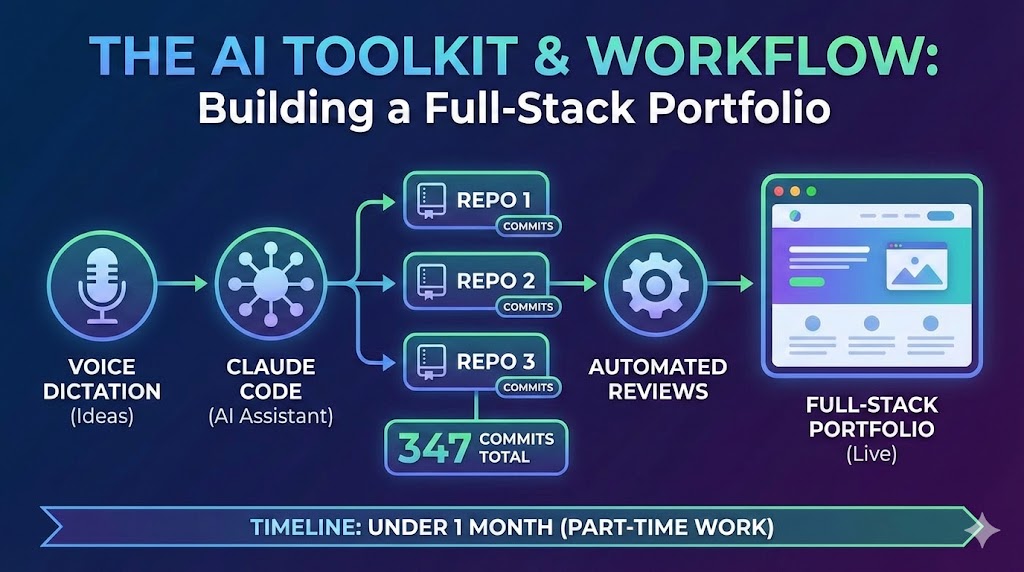
The previous four posts in this series covered what I built, the architecture, the AI agent, the sharing ecosystem, and the headless CMS. This one covers how.
Three repositories, 347 commits, and a full-stack portfolio built in under a month in the evenings after work, and a bit on the weekends. The interesting part isn't the timeline, it's the workflow. A set of AI tools that compound on each other, where investing in one makes the others more effective.
Claude Code as Development Partner
Claude Code was the primary coding companion, 79+ sessions across the project. It runs in the terminal with full filesystem access, so it can read your codebase, make changes, run tests, and iterate on the results.
The key insight: the quality of output tracks directly with the quality of instruction. A vague prompt produces vague code. A detailed prompt that explains existing patterns and expected behaviour produces code that slots into the codebase as though a team member wrote it.
I run it from a parent workspace directory containing all three repositories. When building the shares endpoint, Claude could read the backend controller patterns and the frontend API service simultaneously. Cross-repository awareness eliminates an entire category of integration bugs.
The compound effect matters most. Each session, my prompts got more precise and my configuration files more comprehensive, which made the output more reliable — which taught me what else to add to the configuration.
Wispr Flow — Voice-Driven Instructions
The bottleneck isn't the AI — it's the prompt. More context produces better results, but typing detailed instructions is tedious. Wispr Flow, a macOS voice dictation tool, eliminates that friction.
When typing, there's an unconscious tendency to abbreviate. When dictating, the marginal cost of extra detail is zero. I describe the full expected behaviour, mention related files, and explain the reasoning — all in the same breath. The AI gets substantially more context, and the output quality reflects it.
Natural language is the interface to AI tools. Voice makes that interface frictionless.
The Automated Review Loop
Building solo means no one reviews your code. Sorcery, a GitHub App, fills that gap by automatically reviewing every pull request — catching everything from unused imports to potential edge cases.
The workflow chains directly with Claude Code. Push a PR → Sorcery reviews within minutes → Claude Code fetches the comments via gh api → addresses the feedback → pushes fixes. What would require a human reviewer, a context switch, and a thread of back-and-forth happens in minutes with no interruption to flow.
Configuring the Workspace
Claude Code's effectiveness scales with configuration quality. Each of the three repositories has its own CLAUDE.md file with repository-specific rules — Docker commands for the backend, Yarn for the frontend, testing conventions, code style expectations. A parent-level CLAUDE.md describes the overall architecture and how the repositories connect.
Custom agent definitions in .claude/agents/ enforce scope boundaries — the backend agent physically cannot modify frontend files. Slash commands like /project:backend delegate tasks to the right scoped agent automatically. Permission whitelists pre-approve routine actions (Docker commands, git operations, linters) so Claude doesn't interrupt flow with approval prompts for safe operations.
Model Context Protocols
Six MCP servers — Render, Netlify, Supabase, Cloudflare, Laravel Boost, and Context7 — give Claude Code direct access to external services without leaving the terminal. Instead of switching to the Render dashboard to read deployment logs, I ask Claude to check them. Instead of opening Supabase to verify data, Claude runs a query through the MCP.
Combined with the workspace configuration, Claude can diagnose issues across the full stack — code, configuration, and live infrastructure — from a single terminal session.
The Compound Loop
The pattern that ties everything together: better CLAUDE.md files produce better AI output. Observing what the AI gets wrong reveals what the configuration is missing. Fixing it improves every future session. The investment accumulates — each hour spent on configuration saves multiples across subsequent sessions.
Permission whitelists reduce friction. Agent definitions enforce consistency. MCP servers eliminate context switches. Each layer makes the others more effective. The workflow compounds.
On another project, I've started experimenting with auto-learning hooks: end-of-session evaluations where Claude reviews what went well, what required correction, and updates its own memory files with lessons learned. The goal is a workflow that improves itself.
The Real Investment
The tools — Claude Code, Wispr Flow, Sorcery, MCP servers — are available to anyone. None are proprietary or hard to access.
The real investment is the surrounding infrastructure: CLAUDE.md files that encode conventions, agent definitions that enforce boundaries, permission whitelists that eliminate friction, CI pipelines that catch mistakes. These take time to build, but they compound across every session.
The toolkit didn't build this site. The workflow did.
This is part of the Building nickbell.dev series. Previously: the architecture, the AI agent, the sharing ecosystem, and Filament as a headless CMS.
You might also like
 blog
blog How I Built a Full-Stack AI Portfolio for Under $1/Month
Four hosting services, three repositories, an AI chatbot, semantic search, and cross-device content sharing — practically free.
 blog
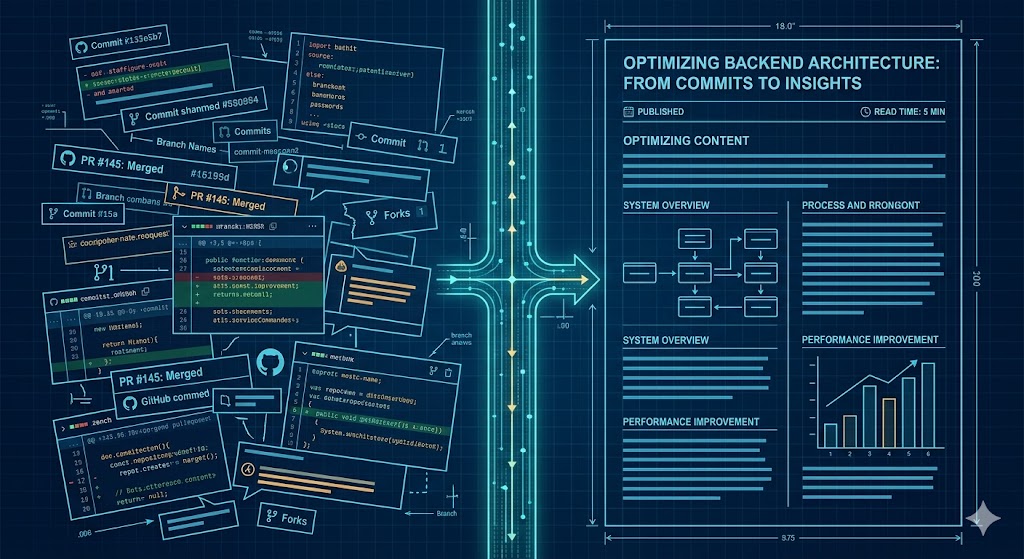
blog Building an efficient Content Pipeline with Claude Code: From PRs to Blog Drafts
I built a system that scans my GitHub PRs weekly, identifies content-worthy work, and generates blog drafts automatically. I call the pattern Quasi-Claw. I built a system to solve a problem most developers share: doing interesting work every week but never writing about it. The pattern — slash commands + LaunchAgents + CLI execution — turns Claude Code into a lightweight scheduled agent without any heavy framework or infrastructure. Here is how it works: 📅 The Trigger: Every Friday at 5pm, a macOS LaunchAgent triggers Claude Code. 🔍 The Scan: It scans my GitHub repos and scores PRs/commits for "content potential." 💬 The Summary: It sends me a Slack digest of the week's best stories. 🚀 The Execution: I run a single command to pick an idea, generate a full blog draft from the actual source code, and push it to my site’s API. The meta proof it works? This very post was identified and drafted by the system itself. #ClaudeCode #AI #BuildInPublic #Automation #SoftwareEngineering
 project
 nickbell.dev
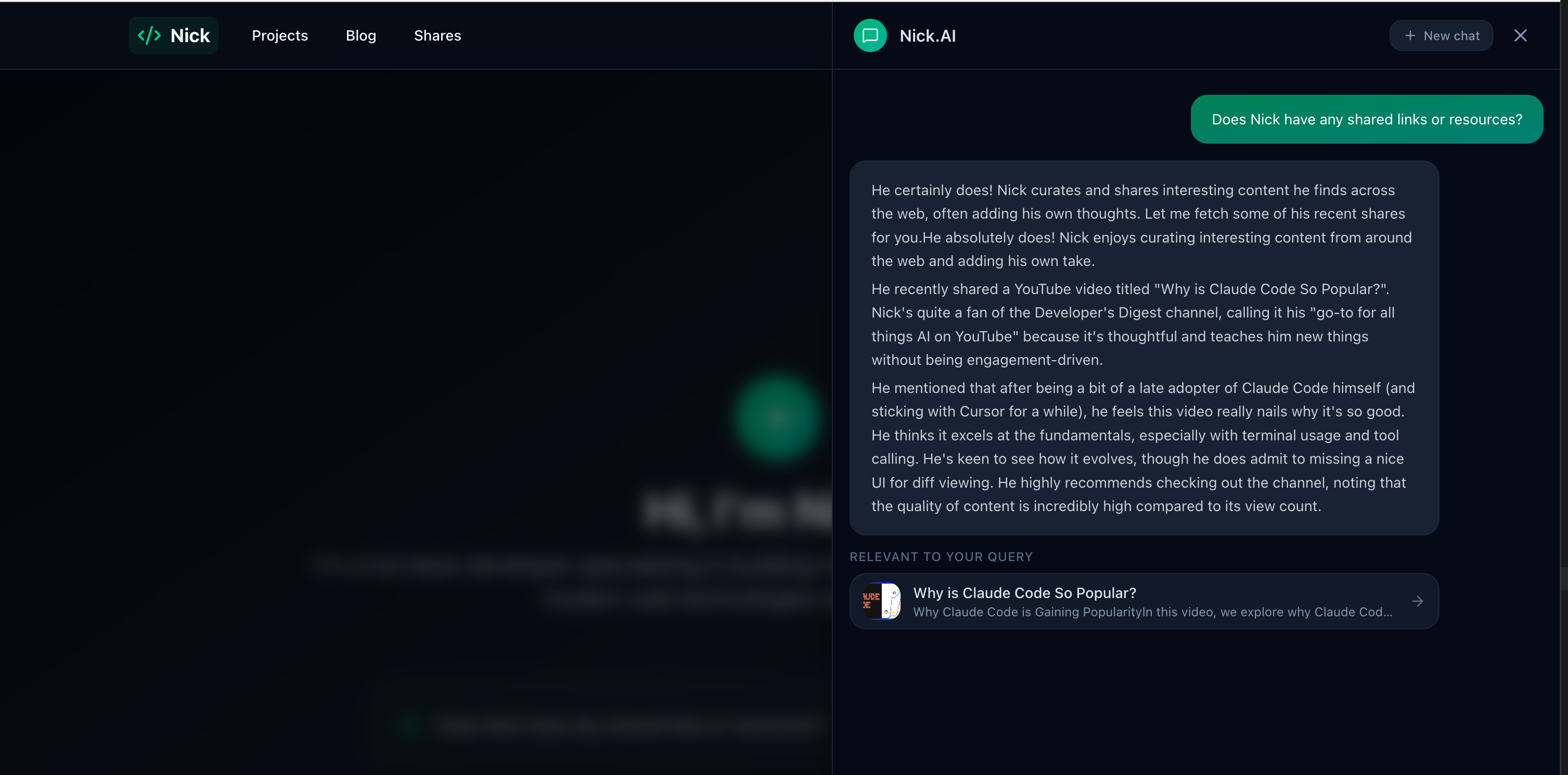
A full-stack AI portfolio running across four hosting services and three repositories — React frontend, Laravel API, AI chatbot agent with semantic search, and a cross-device sharing ecosystem. Total cost: under $1/month.